



How to Check Etisalat Number UAE (2026)
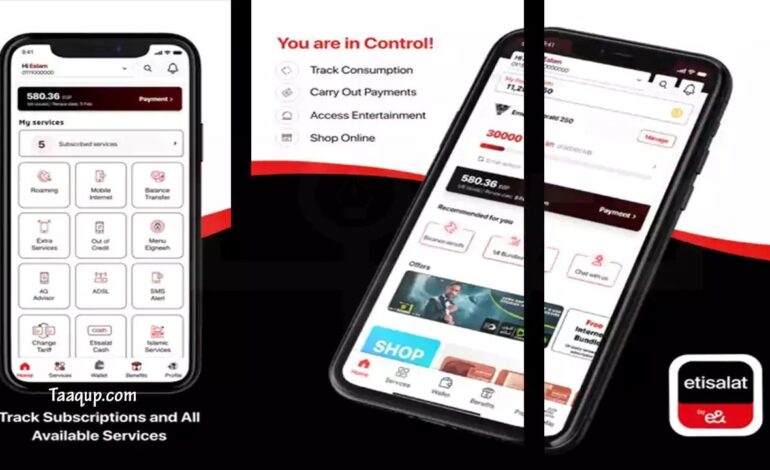

Forgetting your mobile number is more a thing a person does than you might think. Doesn’t matter if you’ve purchased a new SIM card, switched phones, or simply don’t remember your number, there are several quick ways to find it.
The fastest method is to dial *101# from your Etisalat (e&) SIM and follow the menu to Know My Number. Some customers may also be able to use the shortcut *101*1*3*3#, depending on their SIM profile.
This guide explains every reliable method to check your Etisalat number in the UAE.
Why You May Need to Check Your Etisalat Number
There are many situations where knowing your mobile number is important.
- Activating WhatsApp
- Receiving OTPs from banks
- Online shopping
- Registering for UAE services
- Sharing your contact with friends or employers
- Mobile recharge
- Linking your SIM with digital apps
If you recently bought a new SIM, it’s easy to forget the assigned number.
Method 1: Check Etisalat Number Using USSD Code
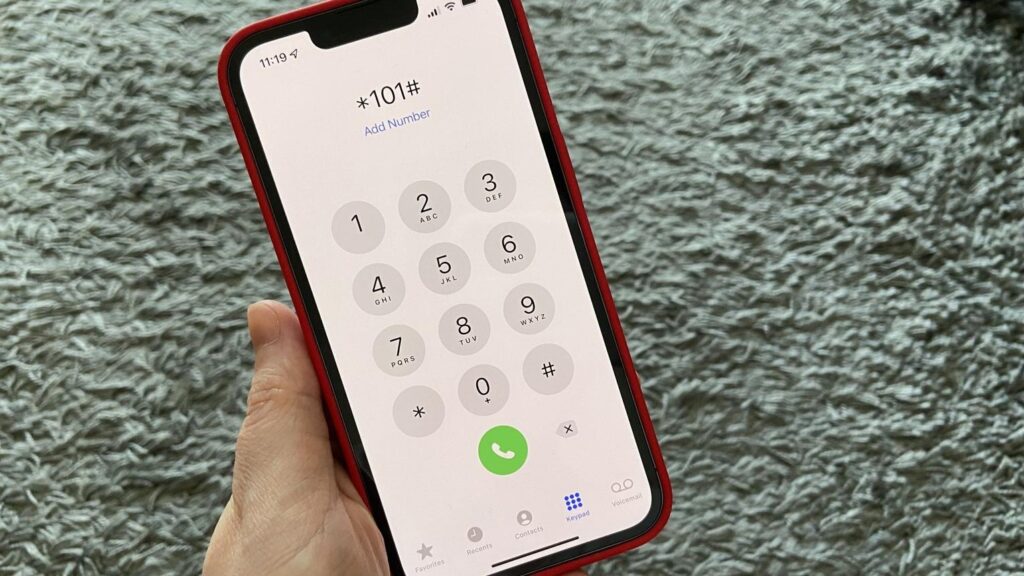

This is the easiest and most popular method.
Steps
- Open your phone’s dialer.
- Dial *101#.
- Press the Call button.
- Select Account Management.
- Choose Account Information.
- Tap Know My Number.
- Your Etisalat number will be on the screen.
Advantages
- Easy to use
- No internet required
- Results within seconds
- Available for most prepaid and postpaid users
Method 2: Use the Shortcut Code
Some Etisalat users can directly dial:
*101*1*3*3#
If supported on your SIM, your mobile number appears immediately without navigating the menu. Availability may different by account type.
Method 3: Check Your Number in the e& UAE App
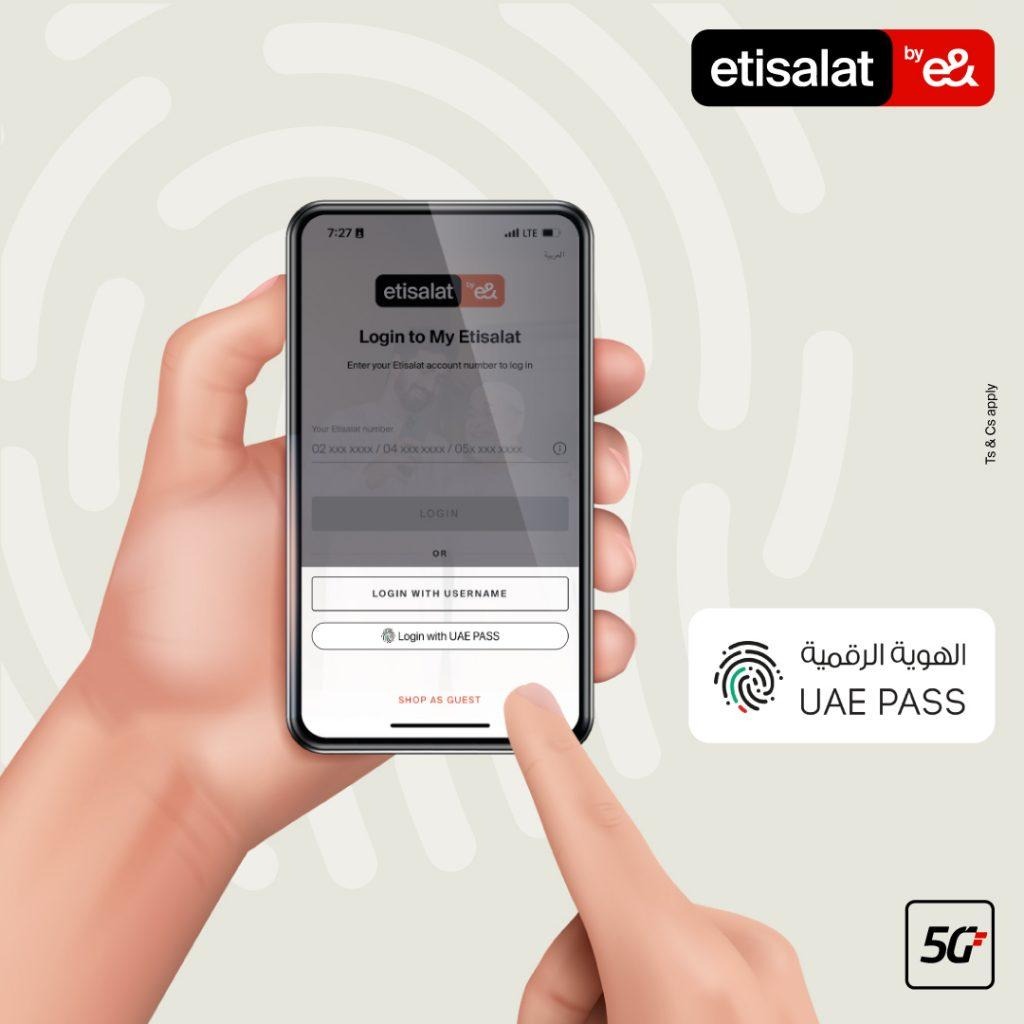

The official e& UAE app lets you manage your mobile account in one place.
Steps
- Install the e& UAE app.
- Sign in with your account.
- Open your profile or account dashboard.
- Your registered mobile number will be displayed.
App Features
- View your number
- Check balance
- Recharge
- Buy data packages
- Pay bills
- View usage history
Method 4: Call Another Phone
If you have enough balance:
- Call a friend’s or family member’s phone.
- Your number will appear on their caller ID.
This is one of the quickest methods when another phone is available.
Method 5: Check Your SIM Card Packaging
When you buy a new SIM, your mobile number is normally printed on:
- SIM holder
- SIM card packaging
- Purchase receipt
If you’ve kept the original package, you can easily find your number there.
Method 6: Check Your Monthly Bill
If you’re a postpaid customer:
- Open your latest bill (printed or PDF).
- Your mobile number is typically listed in the customer details section.
Method 7: Contact Customer Support
If none of the above methods work:
- Dial 101 from an Etisalat line.
- Verify your identity.
- Request your registered mobile number.
Keep your Emirates ID or account details ready for verification.
Comparison of All Methods
| Method | Internet Needed | Fast | Free |
| *101# | No | ⭐⭐⭐⭐⭐ | ✅ |
| Shortcut Code | No | ⭐⭐⭐⭐⭐ | ✅ |
| e& UAE App | Yes | ⭐⭐⭐⭐ | ✅ |
| Call Another Phone | No | ⭐⭐⭐⭐ | May use call balance |
| SIM Package | No | ⭐⭐⭐ | ✅ |
| Monthly Bill | No | ⭐⭐⭐ | ✅ |
| Customer Support | No | ⭐⭐⭐ | Usually free from Etisalat |
Tips to Remember Your Number

After having your number:
- Save it in your contacts as My Number.
- Send it to yourself on WhatsApp.
- Store it in your notes app.
- Keep your SIM packaging in a safe place.
- Write it down for emergencies.
Common Problems and Solutions
| Problem | Solution |
| USSD code doesn’t work | Restart your phone and try again |
| SIM inactive | Contact customer support |
| Forgot app password | Reset your login credentials |
| Lost SIM packaging | Use the app or USSD code |
| No balance | Use *101#, which generally doesn’t require balance |
Frequently Asked Questions (FAQs)
1. What is the Etisalat number check code?
The most commonly used code is *101#. Some users can also use *101*1*3*3# as a shortcut.
2. Can I check my Etisalat number without the internet?
Yes. Dial *101#, which works without Wi-Fi or mobile data.
3. Is checking my number free?
Yes, the USSD methods are generally free for Etisalat customers.
4. Can prepaid and postpaid users use these methods?
Yes. Most of these methods work for both prepaid and postpaid connections.
5. What should I do if none of the methods work?
Contact Etisalat customer support by dialing 101 and verify your account details.
Final Thoughts
Finding your Etisalat number in the UAE is simple and only takes a few minutes or maybe seconds. The easiest option is dialing *101#, while the e& UAE app, SIM packaging, monthly bills, and customer support provide reliable alternatives.
Once you’ve found your number, save it in your contacts or notes so you won’t need to search for it again. Using these methods ensures you can quickly access your mobile number whenever it’s needed for banking, deliveries, account registration, or staying connected.